


A reschedule almost never happens on inspection day. It gets created days earlier, quietly, during intake — when someone accepts an order with a half-populated address, an unconfirmed contact, or an occupancy status that says "owner-occupied" but is actually a tenant who works nights and won't answer the door.
By the time the appraiser is standing in a driveway calling a number that goes to voicemail, the failure is already three or four days old. The fix isn't better field discipline. It's a tighter front door.
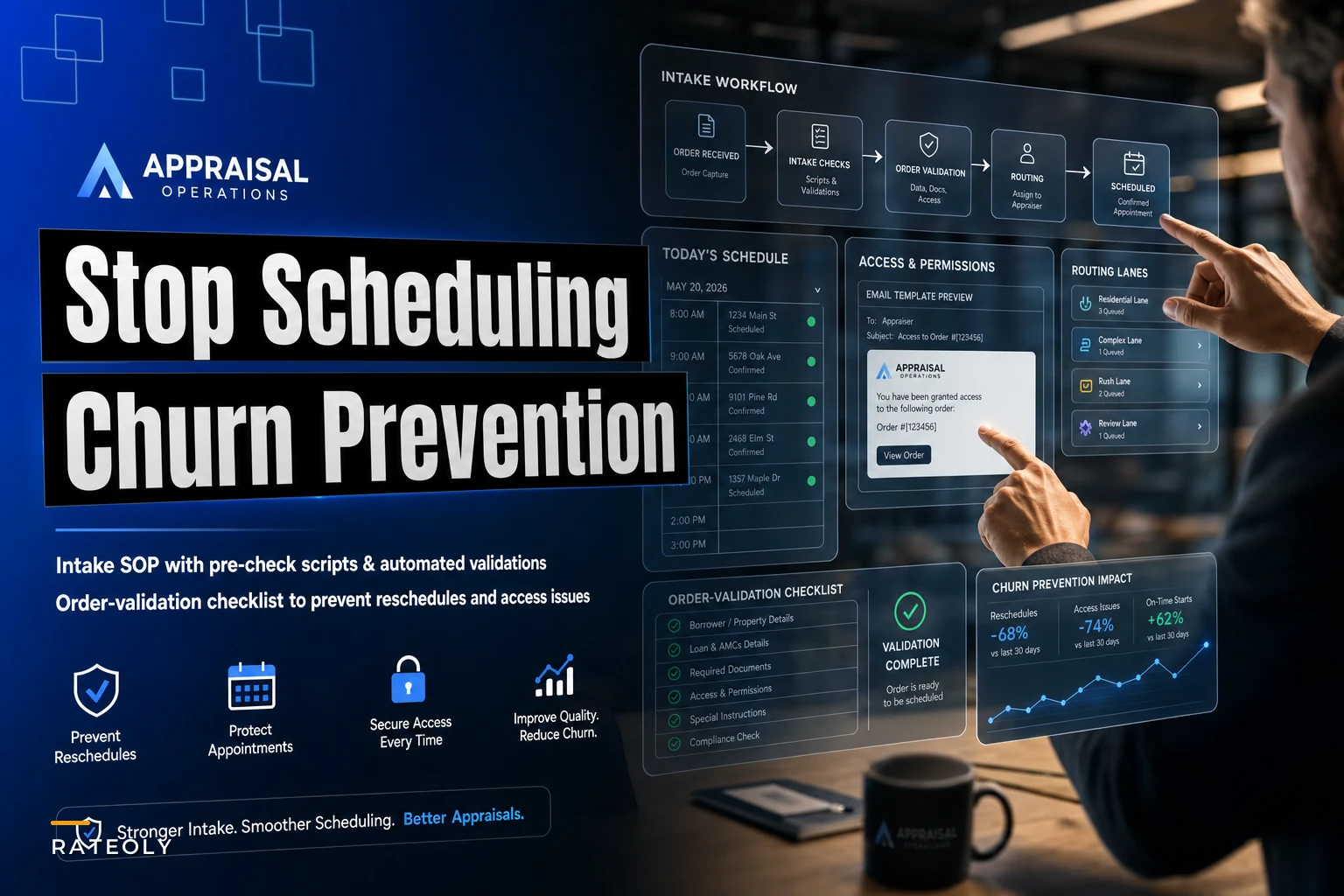
This is a look at what a real appraisal client intake SOP should validate, where the gaps usually hide, and how to build order-validation into the intake step so bad orders get flagged before they cost you a trip.
The reschedule is almost always a data problem, not a scheduling problem
Firms spend a lot of energy optimizing routes and appointment windows, and that matters — but a perfectly optimized route falls apart the moment one stop can't happen because the gate code was never collected. Look at where reschedules actually originate and a pattern shows up fast: the vast majority trace back to a few intake failures.
-
The address is technically wrong (unit number missing, rural route mapping errors, or new construction not in the database).
-
Occupancy was assumed, not confirmed (order says vacant but it's occupied, or says owner-occupied but it's a rental).
-
The point of contact isn't the person with access (borrower phone listed but tenant controls the door).
-
Access requirements were never captured (gate codes, lockbox codes, HOA call-ahead rules, pets, or arrival-notice instructions).
None of these are field problems — every one of them is knowable at intake if someone asks the right question and refuses to advance the order until it's answered. That "refuses to advance" part is where most intake SOPs quietly fail.
What a real order looks like when it goes wrong
A typical example: a firm takes in a purchase order from an AMC. Address and borrower phone are populated, so the scheduler accepts it and drops it into the next day's route. What nobody caught: the property is a duplex but listed as an SFR, occupancy is listed as owner-occupied but the owner moved out two months ago, and the contact is an out-of-town buyer's agent.
Manage every appraisal with confidence and clarity.
Rateoly helps you coordinate inspections, generate reports, and communicate seamlessly with clients.
- Comprehensive appraisal tracking
- Automated client notifications
- Integrated scheduling & report management
No credit card required
The appraiser drives 40 minutes, can't get in, photographs the exterior only, and leaves. The order gets rescheduled, the AMC gets a delay notice, and the turn-time clock keeps running against your SLA.
Multiply that scenario. A mid-size shop doing 300–350 inspections a month with a 6–8% reschedule rate is losing roughly 20–25 wasted trips monthly. At a loaded cost of $40–$70 per wasted trip, that's several thousand dollars a month — and it also quietly damages SLA metrics and client perception.
The pre-check script: questions that actually catch problems
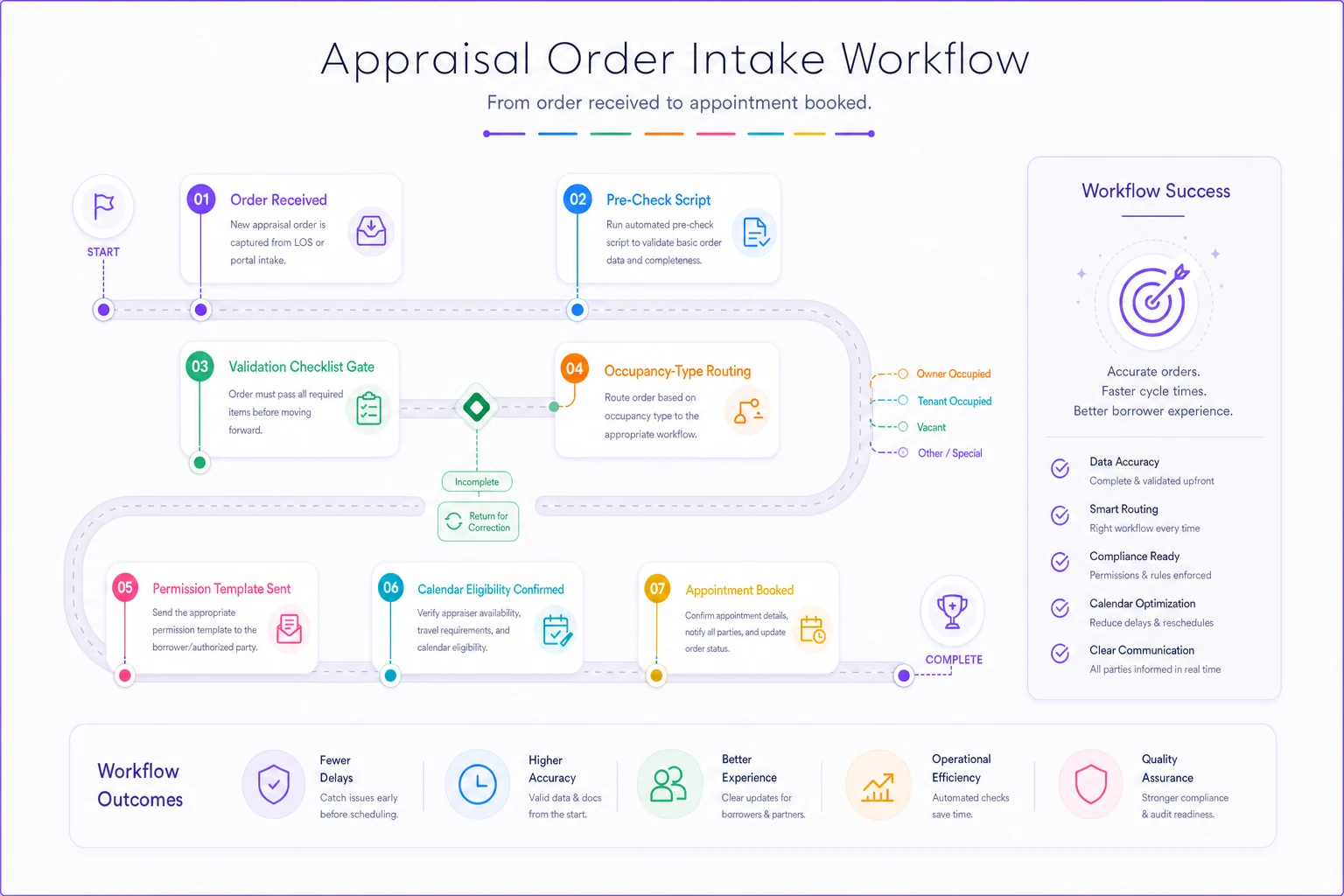
The core of a good intake SOP is a short pre-check script the scheduler runs before an order is accepted or scheduled. Not a 30-question interrogation — a targeted set of validations that catch the common failure modes.
-
Validate the address against parcel records, not just map geocoding; flag rural and new-construction addresses for manual review.
-
Confirm occupancy from someone who knows who lives there now and whether utilities are on.
-
Identify the access-holder separately from the borrower; ask explicitly who physically opens the door.
-
Capture every access requirement in one pass (gate codes, lockbox, HOA rules, pets, parking constraints).
-
Confirm a working callback path by testing at least one contact number before scheduling.
The point isn't just listing these checks; it's enforcing them. The order cannot move to "scheduled" until each has a real answer.
The order-validation checklist
Turn the script into a hard gate. This is the checklist a coordinator or system runs on every incoming order before it becomes eligible for the calendar.
-
Full address including unit/lot, validated against parcel data
-
Property type on order matches parcel records (SFR vs. 2–4 unit vs. condo)
-
Occupancy confirmed by name — owner, tenant, or vacant
-
Utilities status confirmed if vacant
-
Access-holder identified and distinct from ordering party where relevant
-
At least one contact number tested and reachable
-
Gate/lockbox/HOA access requirements captured
-
Pets / hazards / special instructions noted
-
Required-photo scope understood for the property type
-
Scheduling constraints captured (tenant availability windows, business-hours-only, etc.)
"Occupancy confirmed by name" forces an actual conversation rather than a checkbox being clicked; it ensures the scheduler asked who physically provides access.
Permission templates: stop rewriting the same access request
Permission gaps are a common cause of tenant and vacant-property reschedules. Standardize a small set of permission templates keyed to occupancy type so schedulers don't improvise each request.
| Occupancy type | Template | Delivery channel | Core verification target |
|---|---|---|---|
| Owner-occupied | T1: Owner Prep | SMS / Call | Arrival window, pet containment, contact number |
| Tenant-occupied | T2: Tenant Notice | SMS / Email | Occupant consent, legal notice window, on-site adult |
| Vacant (utilities on) | T3: Agent Lockbox | Email / SMS | Lockbox instructions, power/water confirmation |
| Vacant (utilities off) | T4: Client Hold | Utility outage alert, scope limits, proceed sign-off | |
| Gated / HOA community | T5: Gate Clearance | Phone / Email | Visitor clearance, gate instructions, call-ahead rules |
| All active orders | T6: Day-Prior Check | Automated SMS | 24-hour affirmative confirmation, access readiness |
Intake communication pack: 6 verbatim templates
Deploy these standardized scripts across your intake team and automation. Store contact details and access notes in a secure operational system with role-based permissions, and verify regional landlord-tenant notice rules before issuing tenant requests.
Owner-Occupied Confirmation (SMS/Call): "Hi [NAME], this is [FIRM] regarding your appraisal inspection at [PROPERTYADDRESS] on [DATE] between [STARTTIME] and [END_TIME]. Please reply YES to confirm access and verify pets will be secured. If you need to reschedule, reply with two alternative windows."
Tenant-Occupied Access Request (SMS/Email): "Hello [TENANTNAME], [FIRM] is coordinating the appraisal inspection for [PROPERTYADDRESS] on [DATE] between [STARTTIME] and [ENDTIME]. Please reply YES to confirm an adult will be present to provide interior access (subject to local entry notice requirements)."
Vacant – Utilities Active (Listing Agent SMS/Email): "Hi [AGENTNAME], [FIRM] is scheduled to inspect [PROPERTYADDRESS] on [DATE] at [TIME]. Please confirm electricity and water remain fully on, and provide the lockbox location, [LOCKBOX_CODE], and any gate instructions."
Vacant – Utilities Inactive Hold (Client Email): "Order [ORDERID] for [PROPERTYADDRESS] has inactive utilities. Standard interior appraisal inspections require energized systems for water heating and lighting checks. Please confirm whether the lender authorizes an as-is inspection or if this order should hold until utilities are restored."
Gated / HOA Security Clearance (Phone/Email): "Hello [GATESECURITY], [APPRAISERNAME] from [FIRM] will conduct an appraisal at [PROPERTYADDRESS] on [DATE] between [STARTTIME] and [END_TIME]. Please confirm visitor entry clearance and provide any gate call-box requirements."
Day-Prior Affirmative Reconfirmation (Automated SMS): "Reminder from [FIRM]: Inspection at [PROPERTYADDRESS] is scheduled tomorrow, [DATE], between [STARTTIME] and [END_TIME]. Reply C to confirm someone will provide entry, or call [PHONE] now if access plans changed."
Calendar-embed rules: don't let a bad order reach the schedule
Make sure the calendar respects the intake gate. Without calendar-embed rules, validated orders can be bypassed and unvalidated orders end up scheduled.
-
No order books until validation is complete; keep pending-validation orders invisible to scheduling.
-
Occupancy type drives earliest bookable date (tenant notice windows, vacant-utilities-off restrictions).
-
Access requirements attach to the calendar entry so appraisers see gate codes and call-ahead rules immediately.
-
Capture and log a reschedule reason from a fixed list every time a reschedule occurs.
Tagging every reschedule to a cause lets you measure which validation step is failing and where to tighten the intake process.
Where automation earns its place — and where it doesn't
You don't need to automate intake to get value. A disciplined coordinator with the checklist will cut reschedules. Automation earns its place when it removes the tedious validation grunt work at scale without replacing human judgment.
AI-assisted intake helps with address/parcel cross-checks, flagging auto-filled occupancy fields, and matching order property type to records. The judgment call — whether to proceed on a vacant-utilities-off property or how hard to push a tenant — remains human.
When this level of structure makes sense:
-
You run more than ~150 inspections a month and reschedules are a recurring cost
-
A meaningful share of volume is tenant-occupied or vacant with uncertain access
-
You take orders from multiple AMCs with inconsistent order quality
When it's overkill:
-
A solo appraiser doing a handful of owner-occupied orders a week (a personal checklist suffices)
-
If your reschedule rate is already very low and access surprises are rare
A quick before/after
A two-appraiser firm doing ~280–320 orders per month had ~20 reschedules monthly, mostly tenant-access and vacant-utilities-off. They added a two-minute pre-check, permission templates, and a rule preventing tenant orders from being scheduled until tenant availability was confirmed.
Within two months reschedules fell to the high single digits. Schedulers stopped scrambling in the mornings, AMC delay notices dropped, and the problems stopped reaching the field — not because people worked harder, but because bad orders never left the intake gate.
The takeaway: reschedules surface on inspection day but originate at intake. Every bad address, occupancy surprise, and locked gate was knowable days earlier — the order just wasn't held long enough for someone to ask. Build the pre-check into intake, tie permission requests to occupancy type, and block unvalidated orders from the calendar.
Download the Order-Log & KPI Calculator to capture intake, measure reschedules and access failures, and model saved trips/cost across a 20‑appraiser team. Order-Log & KPI Calculator (20‑Appraiser Intake Template) CSV companion: Download the CSV template
Ready to elevate your appraisal operations?
Join 500+ appraisal firms using Rateoly to enhance accuracy, save time, and improve client satisfaction.