

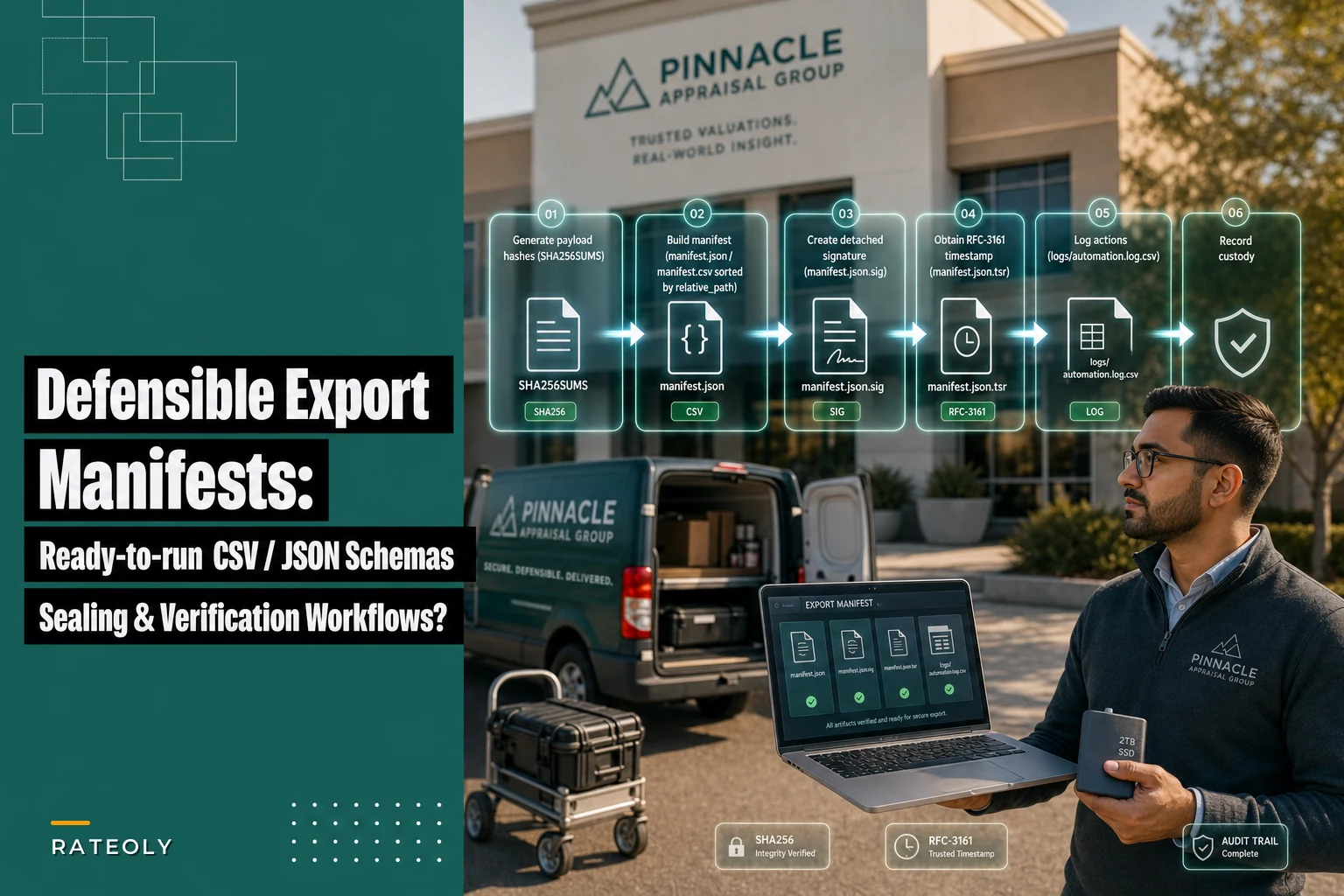

Most appraisal firms don't discover their manifest is broken until an auditor asks for proof that a file hasn't changed since delivery. That's the worst possible moment to realize your "archive" is just a folder of PDFs and a spreadsheet nobody signed.
This piece is intentionally narrow. It's not about the big-picture archival lifecycle — the end-to-end evidence lifecycle and archival approach already covers where manifests fit in the larger retention and recovery story. Here we go one level deeper: the actual machine-readable manifest templates, the column lists, the JSON schema, the chain-of-custody entries, and the sealing commands (detached signatures and RFC-3161 timestamps) that make a manifest hold up when someone challenges it.
You should be able to copy what's below, adapt the field names to your shop, and plug it into whatever automation you already run.
Why most appraisal manifests fail an audit
The common failure isn't a missing manifest. It's a manifest that exists but can't prove anything.
-
The manifest is a CSV with filenames and sizes, but no hashes — so there's no way to prove a file wasn't swapped.
-
Hashes exist, but there's no signature or timestamp — so the manifest itself could have been edited last Tuesday and nobody could tell.
-
The manifest mixes file-level and package-level metadata into one flat row, so you can't tell whether "appraiser_license" applies to the whole package or just one exhibit.
-
There's no ordering rule, so two automated runs of the same package produce manifests in different row orders, and your checksum of the manifest changes even though nothing in the package did.
That last one trips people up constantly. If your manifest rows aren't sorted deterministically, you can't checksum the manifest reproducibly — and reproducibility is the whole game when an auditor wants to confirm two copies are identical.
If your manifest rows aren't sorted deterministically, you can't checksum the manifest reproducibly — and reproducibility is the whole game when an auditor wants to confirm two copies are identical.
The two-layer metadata model: package vs file
Before the templates, settle one thing: what belongs at the package level and what belongs at the file level. Collapsing these is the single most common schema mistake.
Manage every appraisal with confidence and clarity.
Rateoly helps you coordinate inspections, generate reports, and communicate seamlessly with clients.
- Comprehensive appraisal tracking
- Automated client notifications
- Integrated scheduling & report management
No credit card required
| Metadata type | Lives at | Examples |
|---|---|---|
| Identity of the whole archive | Package level | packageid, assignmentid, client/AMC, effectivedate, appraiserlicense, manifestversion, sealtimestamp |
| Properties of each file | File level | relativepath, sha256, bytesize, mimetype, role (report/photo/addendum), capturedat, source_system |
| Custody events | Separate log | actor, action, timestamp, from/to, reason, tool_version |
Package-level metadata appears once. File-level metadata repeats per file. Chain-of-custody is its own stream — not crammed into either. Keeping these separate is what lets you verify a single file without parsing the entire package, and lets an auditor reason about the package as a unit.
The CSV manifest template (exact columns)
Here's a file-level manifest in CSV. These are the columns, in this order:
relativepath,sha256,bytesize,mimetype,role,capturedat,sourcesystem,fileseq
-
relative_path — path relative to the package root, forward slashes only, no leading slash. This is your join key. It must be unique.
-
sha256 — lowercase hex, 64 characters. Not SHA-1. Auditors expect SHA-256 as the floor now.
-
byte_size — integer bytes, not KB. Catches truncation that hashes alone sometimes mask during partial writes.
-
mime_type — explicit (
application/pdf,image/jpeg). Don't infer from extension at verify time. -
role — controlled vocabulary, pick a fixed set (
report,photo,sketch,addendum,comp_doc,log). -
captured_at — ISO 8601 with timezone (
2026-02-14T0932:00-06:00). For photos, the original capture time, not the archive time.
-
sourcesystem — where the file came from (
fieldapp,mlsexport,manualupload). -
file_seq — integer used only for deterministic ordering (see below).
relativepath,sha256,bytesize,mimetype,role,capturedat,sourcesystem,fileseq report/mainreport.pdf,3f786850e387550fdab836ed7e6dc881de23001b,428193,application/pdf,report,2026-02-14T16:05:00-06:00,reportwriter,1 photos/frontelevation.jpg,2c26b46b68ffc68ff99b453c1d30413413422d70,1842203,image/jpeg,photo,2026-02-14T09:32:00-06:00,fieldapp,2 photos/rearelevation.jpg,fcde2b2edba56bf408601fb721fe9b5c338d10ee,1766540,image/jpeg,photo,2026-02-14T09:34:00-06:00,fieldapp,3 addenda/locationadjustment.pdf,19581e27de7ced00ff1ce50b2047e7a567c76b1c,88214,application/pdf,addendum,2026-02-14T15:48:00-06:00,reportwriter,4
(Those sample hashes are shortened for readability — real entries are the full 64-char SHA-256.)
Ordering rules (this is where reproducibility lives)
Sort rows by relativepath using byte-wise ascending order, case-sensitive. Don't use locale-aware sorting — locale rules differ across machines and will silently reorder your rows. The fileseq column exists so a human can read the intended order, but the canonical sort for checksumming the manifest is always the byte-wise path sort.
One rule that saves a lot of grief: normalize paths before sorting. Decide once whether Photos/ or photos/ is correct, enforce lowercase directories, and reject anything that doesn't match. Mixed-case paths are the quiet reason two "identical" packages produce different manifest hashes.
The JSON schema version
For automation pipelines, JSON is easier to validate. Here's a minimal schema with package-level and file-level separation:
{ "$schema": "http://json-schema.org/draft-07/schema#", "type": "object", "required": ["package", "files", "manifestversion"], "properties": { "manifestversion": { "type": "string" }, "package": { "type": "object", "required": ["packageid", "assignmentid", "appraiserlicense", "createdat"], "properties": { "packageid": { "type": "string" }, "assignmentid": { "type": "string" }, "client": { "type": "string" }, "effectivedate": { "type": "string", "format": "date" }, "appraiserlicense": { "type": "string" }, "createdat": { "type": "string", "format": "date-time" } } }, "files": { "type": "array", "items": { "type": "object", "required": ["relativepath", "sha256", "bytesize", "role"], "properties": { "relativepath": { "type": "string" }, "sha256": { "type": "string", "pattern": "^[a-f0-9]{64}$" }, "bytesize": { "type": "integer", "minimum": 0 }, "mimetype": { "type": "string" }, "role": { "type": "string", "enum": ["report", "photo", "sketch", "addendum", "compdoc", "log"] }, "capturedat": { "type": "string", "format": "date-time" }, "source_system": { "type": "string" } } } } } }
The pattern on sha256 and the enum on role are doing real work. They catch the two most common garbage inputs — malformed hashes and freetext role names — at validation time, before anything gets sealed. A manifest that validates but contains role: "photo (front)" instead of photo will quietly break every downstream query that filters on role.
When serializing JSON for checksumming, sort object keys and the files array deterministically (by relative_path), and use consistent formatting — no trailing whitespace, fixed indentation or compact. Otherwise you hit the same reproducibility problem as unsorted CSV.
The automation log schema (the minimum auditors actually ask for)
If an automated process built your package, the auditor wants to know what ran, when, and whether it succeeded. You don't need a sprawling log format. You need these fields:
eventid,timestamp,actor,tool,toolversion,action,target,result,notes
-
event_id — unique per event.
-
timestamp — ISO 8601 with timezone.
-
actor — human or service account that triggered it.
-
tool / tool_version — what did the work, and which version. Version matters because hashing or packaging behavior can change between releases.
-
action —
hash,package,sign,timestamp,verify. -
target — packageid or relativepath.
-
result —
success/failure. -
notes — short free text for failures or exceptions.
eventid,timestamp,actor,tool,toolversion,action,target,result,notes e001,2026-02-14T16:10:02-06:00,svcarchive,hashtool,2.3.1,hash,PKG-2026-0412,success, e002,2026-02-14T16:10:05-06:00,svcarchive,packtool,1.8.0,package,PKG-2026-0412,success, e003,2026-02-14T16:10:09-06:00,j.ramirez,signtool,1.2.0,sign,PKG-2026-0412,success,detached sig created e004,2026-02-14T16:10:12-06:00,svc_archive,tsclient,0.9.4,timestamp,PKG-2026-0412,success,rfc3161 token from tsa
Keep this log inside the package (at logs/automation.log.csv) and list it in the manifest like any other file. That way the log is itself covered by the seal — you can prove it wasn't edited after sealing.
Chain-of-custody entries
Custody is about handoffs and actions on the evidence, which is different from the automation log. A custody entry answers: who had it, what did they do to it, and why.
Minimal fields: custodyid, timestamp, actor, action, fromlocation, to_location, reason.
cc001,2026-02-12T10:15:00-06:00,k.osei,ingest,field_app,staging,initial field upload cc002,2026-02-13T14:02:00-06:00,k.osei,edit,staging,staging,corrected two mislabeled photo filenames cc003,2026-02-14T16:00:00-06:00,j.ramirez,finalize,staging,archive,QC complete, locked for packaging cc004,2026-02-14T16:10:09-06:00,j.ramirez,seal,archive,archive,detached signature applied
The edit entry at cc002 is exactly what auditors care about. If photos were renamed after field capture, you want that recorded with who did it and why — not discovered as an unexplained discrepancy later.
Packaging rules: the file tree and checksum files
A predictable layout makes verification much easier. Here's one that works:
PKG-2026-0412/ ├── manifest.json ├── manifest.csv ├── report/ │ └── mainreport.pdf ├── photos/ │ ├── frontelevation.jpg │ └── rearelevation.jpg ├── addenda/ │ └── locationadjustment.pdf ├── logs/ │ └── automation.log.csv ├── SHA256SUMS ├── manifest.json.sig └── manifest.json.tsr
Two checksum-related files matter:
-
SHA256SUMS — a plain checksum file listing every payload file, compatible with
sha256sum -c. This lets anyone verify payload integrity with standard tools, no custom parser needed. -
manifest.json.sig and manifest.json.tsr — the detached signature and RFC-3161 timestamp token for the manifest itself.
The key design decision: the manifest records hashes of the payload files, and then you sign and timestamp the manifest, not each individual file. Sealing the manifest transitively seals everything it references, because changing any payload file changes its hash, which would require changing the manifest, which would break the signature.
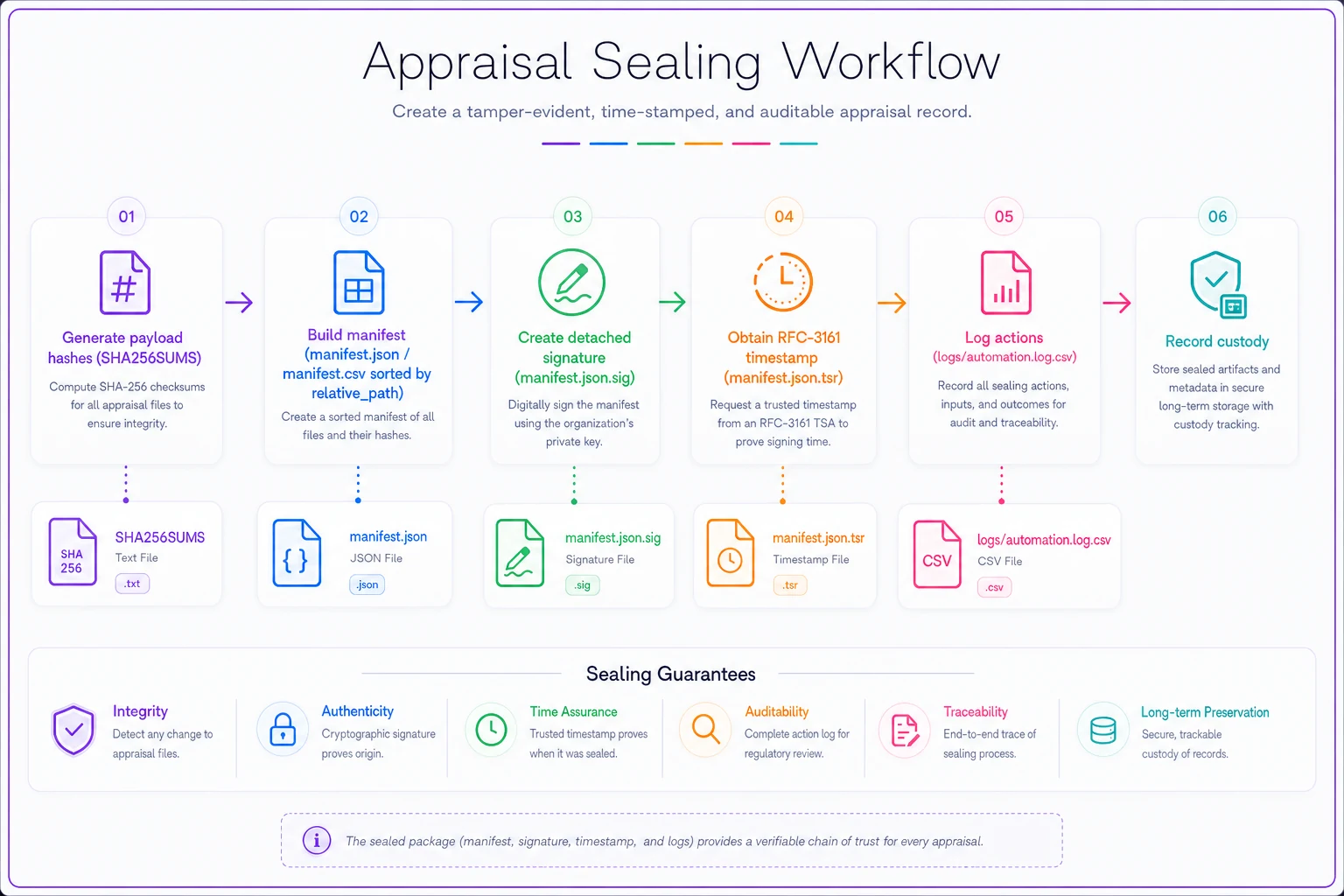
The sealing workflow, step by step
Here's the actual sequence. Order matters — you hash first, build the manifest, then sign, then timestamp.
-
Generate payload hashes. Produce
SHA256SUMSfor all files in the tree. find . -type f ! -name 'SHA256SUMS' ! -name 'manifest.json.sig' \ ! -name 'manifest.json.tsr' -print0 | sort -z | xargs -0 sha256sum > SHA256SUMS -
Build the manifest from those hashes (your tooling populates
manifest.json/manifest.csvwith the file-level rows, sorted by path). -
Create a detached signature over the manifest
gpg --output manifest.json.sig --detach-sign --armor manifest.json
-
Timestamp the manifest with an RFC-3161 TSA. First build the request, then get the token: openssl ts -query -data manifest.json -sha256 -cert -out manifest.tsq curl -s -H "Content-Type: application/timestamp-query" \ --data-binary @manifest.tsq https://your-tsa.example/tsr -o manifest.json.tsr
-
Log every action (hash, package, sign, timestamp) into
logs/automation.log.csv— and do this before step 1's SHA256SUMS if you want the log covered, or re-hash after. In practice, most teams finalize the log, then run the hash step so the log is sealed too. -
Record custody of the seal event.
Here is a simple visual showing the steps and files involved.
One sequencing gotcha worth flagging: if the automation log is part of the package and must be sealed, it can't contain the hash of itself. Resolve this by writing the log up to and including the seal action, closing it, then hashing. The seal event's own hash lives in SHA256SUMS and the manifest — not inside the log.
What auditors actually run to verify
Give auditors — or your own QC — a short, repeatable verification routine. This is what they expect to be able to run:
-
Verify payload integrity sha256sum -c SHA256SUMS Every line should report
OK. -
Verify the manifest signature gpg --verify manifest.json.sig manifest.json
-
Verify the RFC-3161 timestamp openssl ts -verify -data manifest.json -in manifest.json.tsr \ -CAfile tsa_ca.pem
-
Confirm manifest matches tree every
relative_pathin the manifest exists on disk, every file on disk appears in the manifest, and no extras. A manifest that passes signature verification but doesn't match the actual file tree means someone added or removed files without re-sealing.
That last check is the one people forget. A valid signature only proves the manifest is unaltered. You still have to confirm the manifest actually describes the package in front of you.
A quick verification checklist
Before you consider a package sealed and shelf-ready, confirm:
-
- [ ] Every file has a SHA-256 hash in the manifest
-
- [ ] Manifest rows are sorted by byte-wise path order
-
- [ ] Package-level metadata appears exactly once
-
- [ ]
rolevalues are all from the controlled vocabulary -
- [ ] Automation log is present, closed, and listed in the manifest
-
- [ ] At least one custody entry records the seal event
-
- [ ] Detached signature (
.sig) exists and verifies -
- [ ] RFC-3161 timestamp token (
.tsr) exists and verifies -
- [ ]
SHA256SUMSverifies clean withsha256sum -c -
- [ ] Manifest file list matches the actual tree — no extras, no missing
Manifest file list matches the actual tree — no extras, no missing
A realistic scenario: what this changes in practice
A three-appraiser shop was delivering to two AMCs and keeping "archives" as zipped folders with a spreadsheet of filenames. When one AMC's compliance team requested proof that a delivered report matched the retained copy on a disputed assignment, the firm spent nearly two days manually comparing files, re-opening PDFs, and trying to explain why a couple of photos had different timestamps than the spreadsheet suggested. They couldn't prove nothing had changed — they could only assert it.
After switching to a sealed-manifest process — SHA-256 per file, a signed and timestamped manifest, a custody entry for every handoff — the same type of request became a five-minute task: run the three verification commands, export the custody and automation logs, done. Over a few months, the time spent responding to integrity and chain-of-custody questions dropped from "clear your afternoon" to something they handled between assignments. The underlying work didn't get bigger — the proof just stopped being a scramble.
When this full sealing setup makes sense — and when it's overkill
It makes sense when you deliver to AMCs or lenders who audit, when you retain files for multi-year regulatory windows, or when disputes over "was this changed after delivery" are a realistic possibility. For those situations, detached signatures plus RFC-3161 timestamps are worth the setup cost.
It's probably overkill if you're a solo appraiser doing a handful of private, non-lender assignments a month with no audit exposure. A SHA256SUMS file and a solid backup may be enough, and you can add signing later when volume or client requirements justify it.
Don't half-build it. The worst spot to be in is hashing files but never signing or timestamping the manifest — you get the maintenance overhead of hashes with none of the tamper-evidence that actually matters in a dispute. If you're going to do it, close the loop with the seal.
The manifest isn't paperwork for its own sake. It's the difference between asserting your archive is intact and proving it in the one moment where proof is the only thing that counts.
Build the templates once, wire them into whatever you already run, and the hard part — demonstrating integrity on demand — stops being hard.
Ready to elevate your appraisal operations?
Join 500+ appraisal firms using Rateoly to enhance accuracy, save time, and improve client satisfaction.